Configuring Proxmox for use with Ceph RBD
Problem
Configure Proxmox so that it can use Ceph RBD as a storaage volume.
Solution
-
In the Proxmox GUI, choose
Datacenter->Storage->Add(a drop-down menu), andRBD, as shown in this screenshot: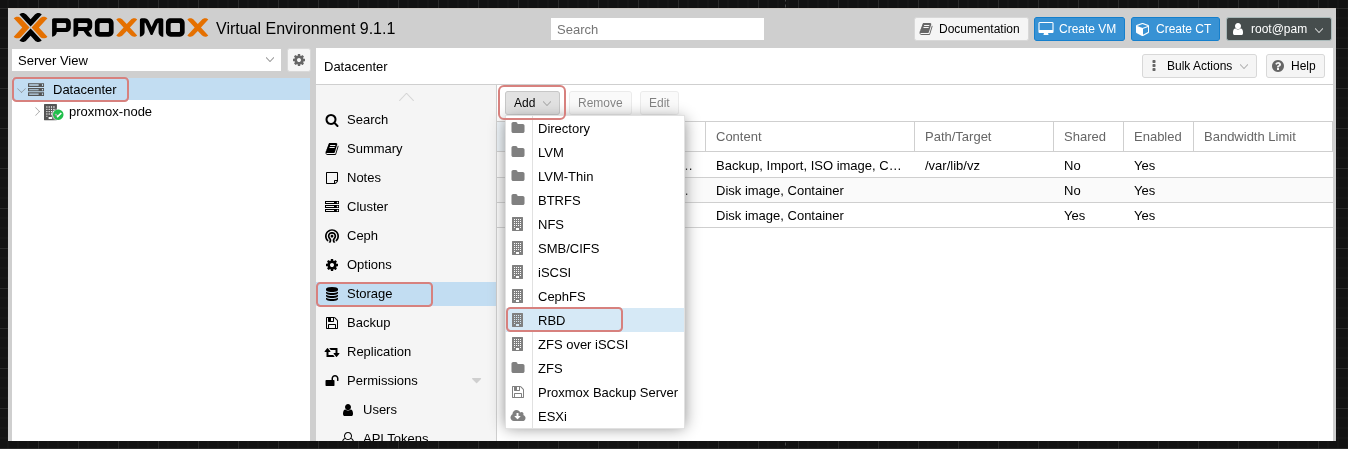
-
Provide the values for
ID,Pool,Monitor(s),User name, andKeyring, as shown in the following screenshot. Note that your values will not be the values in the screenshot. Note also that the tick boxUse Proxmox VE managed hyper-converged ceph poolis not checked: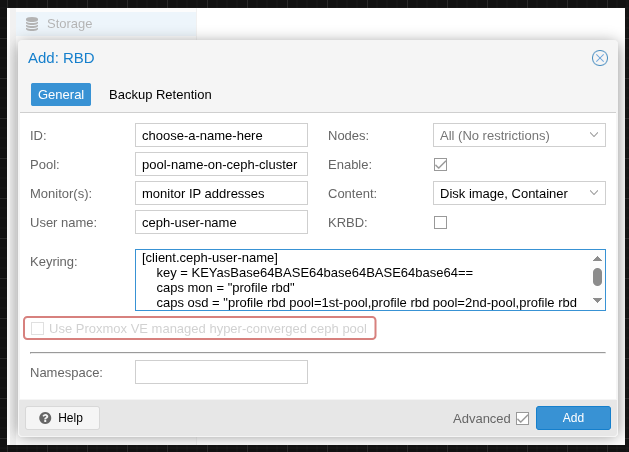
-
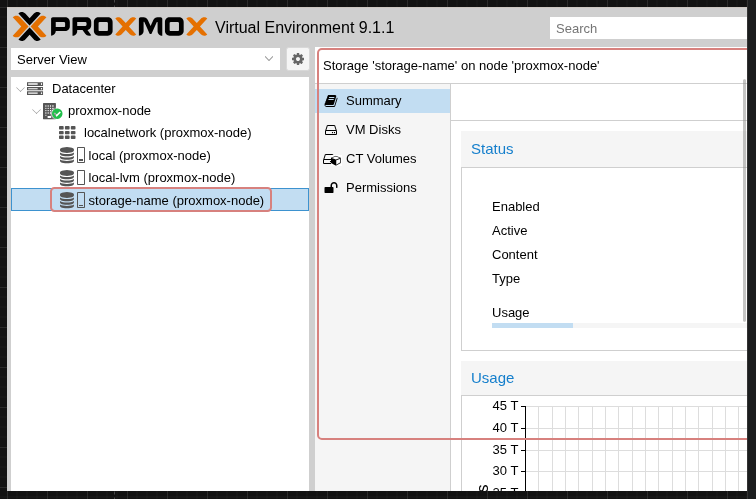
Confirm that Proxmox can access the Ceph RBD as a storage volume:
Discussion
This procedure can be altered slightly to work with CephFS.